
Agentic AI Experience for everybody
Agentic AI tools are built for developers mostly. We make the same power and speed available for everyone: marketers, analysts, product managers, operations, and customer support.
We create customised systems in your niche. Contact us
Agentic systems like Claude Cowork, Codex and Opencode are incredibly capable; but they're built mainly for technical users.
Since launch, I’ve spent long hours daily with agentic engineering tools; it’s become the operating system for everything. I wish everyone had the same frictionless, superhuman experience with software; not the typical enterprise software frustration.
Most people want to work in the browser, not the terminal. This is about providing the experience of Claude Code (streaming responses, tool visualisation, focused interaction) without the barriers (syntax, fear, cryptic errors).
The paradigm shift: there is no interface between you and the work. The conversation is the work.
Accomplish More
Users complete tasks they couldn’t before. Nothing breaks; everything is reversible.
Zero Distractions
Just you and the task. In a noisy world, focus is the advantage.
Context-Aware
Knows you, your work, your customers, your company. No starting from scratch.
Safe by Design
Confirmations, previews, undo. Never lost; always know what’s possible.
Visual Feedback
Progress bars, status icons, clear states. You see exactly what’s happening.
Delegate to Subagents
Complex tasks split across specialised agents working in parallel.
- Problem
- Most agent interfaces expose developer concepts that business teams should not need to learn.
- Built
- A browser-based interaction model with visible stages, previews, confirmations, recovery, and undo.
- Relevant when
- Marketers, analysts, operators, or support teams need agent capabilities without terminal-style interfaces.
This is Claude Code. The tool that changed how I build software.
171,129 lines of code. 773 files created. 179 late-night sessions. One month. This isn’t hype; it’s my commit history.
The terminal is powerful but intimidating. Command lines, error codes, and syntax that assumes years of experience. I kept the focused, command-line feel but made it human, guided, and safe. Users know they’re using something technical; it just doesn’t scare them.
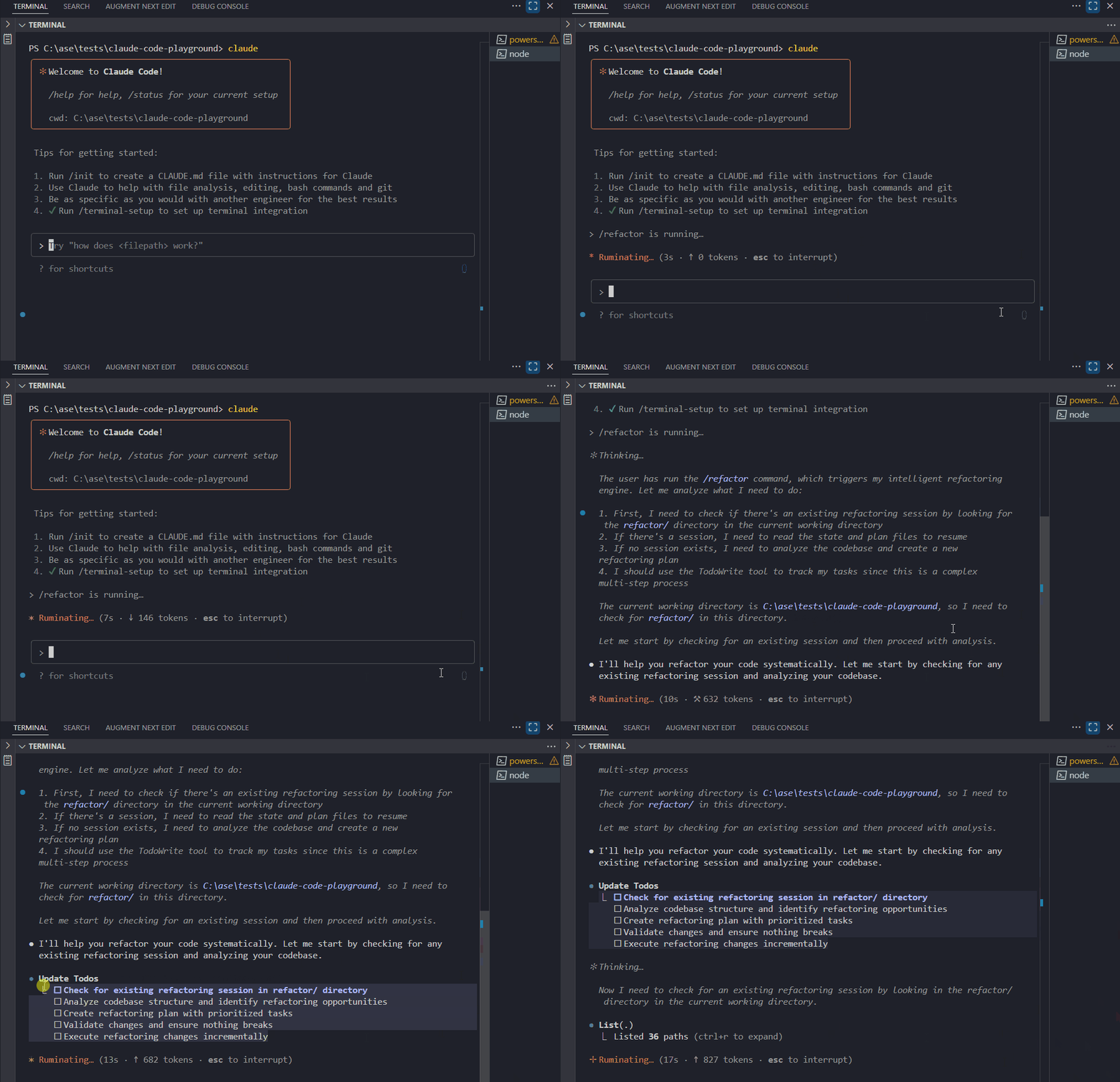
Before adding more capability, show the user what is happening, what will happen next, and how to stop or undo it.
Need something similar, customised for you? Get in touch.